01
Open it your way
On Windows, hold right-click over the composition. On Mac, open the same interactive wheel inside the panel.
 DIPPER DZNFX ELEMENTS
Access actions, effects, creation, transform, color, blur and much more without breaking your editing flow. Download now and try the full version before buying a lifetime license.
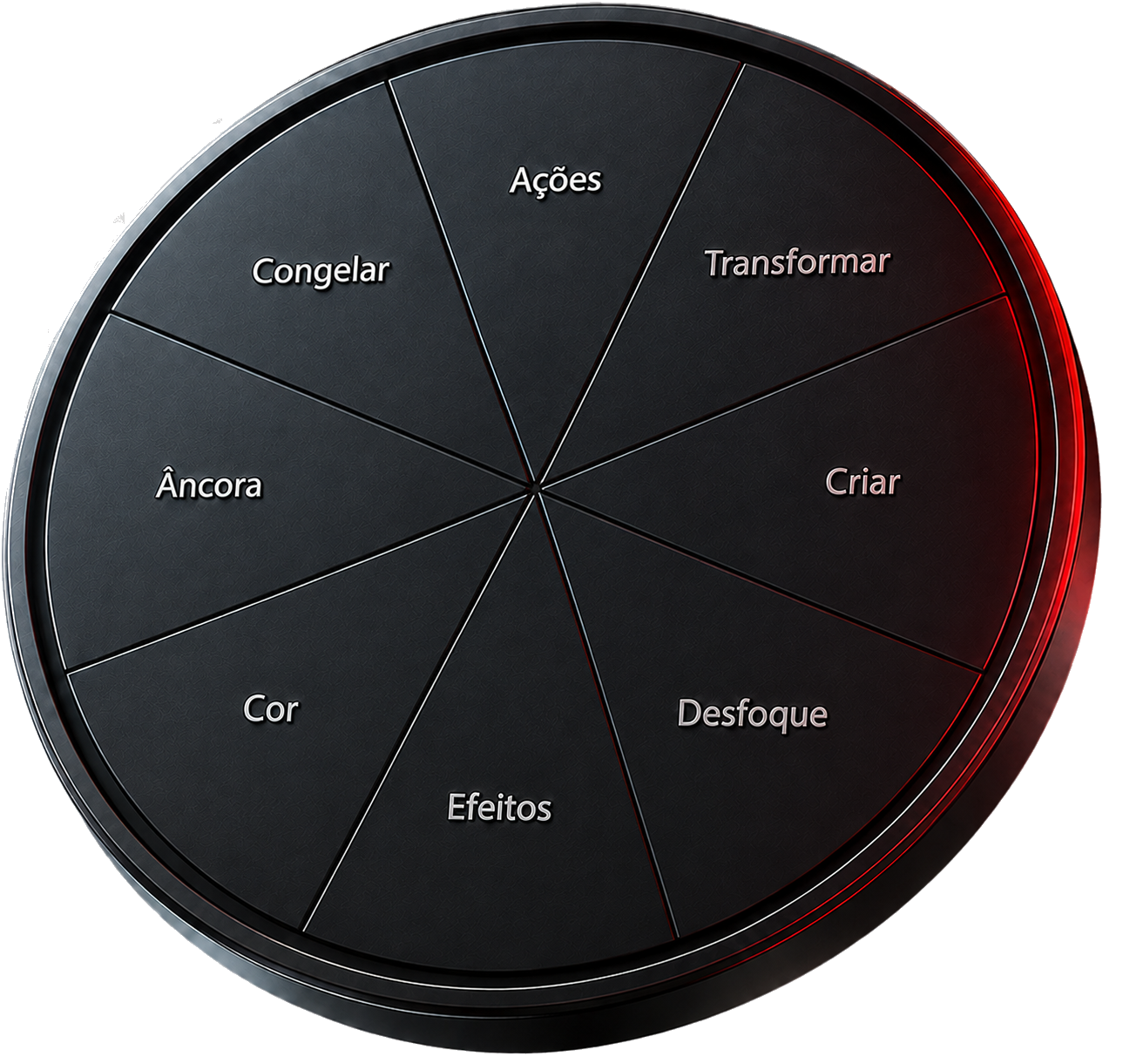
On Windows the wheel appears under your cursor; on Mac it opens inside the panel. On both systems, several clicks become one natural motion.
On Windows, hold right-click over the composition. On Mac, open the same interactive wheel inside the panel.
Move through a category, find the action and release. Fewer clicks, fewer menus and much more speed.
Change colors, tools, categories, size, language and presets without disrupting your workflow.
Use the ready-made setup or build a wheel that matches the way you edit. Each area groups tools for a real stage of your workflow.
Keep your most disruptive commands one gesture away.
Fit a layer to the composition without hunting through properties or shortcuts.
Create essential elements directly where you are already working.
A ready-to-use collection of the most common After Effects blurs.
Browse After Effects effects and build your own favorite selection.
Open your image treatment tools without leaving the composition.
Move the anchor point precisely with a fixed nine-position grid.
Control layer time with direct, predictable commands.
Hold, Hold In/Out, Ease In/Out and Rove can occupy any configurable slot.
Add, clear or lock markers without browsing After Effects menus.
Find the source in the project, open it in Explorer or reveal modified properties.
Search your installed After Effects library and add any effect to your menu. Your favorites stay one gesture away, without limiting you to a closed list.
On Windows, open it over the composition; on Mac, use Open Wheel in the panel. Move through the category and choose an action without navigating menus.
Choose any color for each block. Labels adjust their contrast automatically, and DipperFX stays readable even on light tones.
Try the options below. In the plugin, you can also choose any other color.
Dark labels on light colors; light labels on dark colors. The center text always stays readable.
Ready-made presets, free color picker and hexadecimal input.
Small, medium or large wheel and adjustable right-click delay.
Swap categories, reorder tools and save profiles.
The package is designed for straightforward installation and a migration that respects your existing setup.
Separate packages prepared for After Effects 2022 and newer.
Panel, categories and tools in all three languages — Âncora, Anchor and Anclaje.
Use everything for 3 days. Then activate a lifetime key linked to your computer.
Presets and licenses are preserved; old CEP copies are automatically moved out of Adobe folders.
Choose your system and receive the secure link by email. When the trial ends, activate your purchase key to continue with lifetime access.
Bring a fast, customizable radial panel built to follow your editing flow into After Effects.
DipperFX Elements
Secure international payment via Hotmart · key sent to your purchase email
The answer you need is probably here.